Workspace (overview)
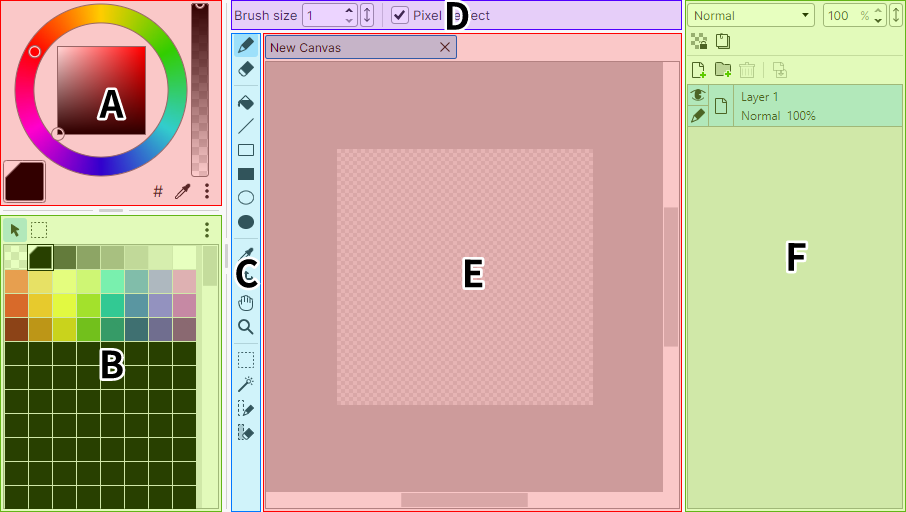
- A. Color panel
- Where you edit palette colors.
- B. Palette panel
- Where you work with the canvas palette.
- C. Tools panel
- Where you choose the tool for editing the canvas.
- D. Tool Options
- Where you change the options of the tool selected in the Tools panel.
- E. Canvas Edit panel
- Where you edit the canvas image.
- F. Layers panel
- Where you work with the canvas layers.
Note
You can change how the panels are arranged in Layout Settings.
Other panels
There are also panels that are hidden by default.
- Preview panel
- Shows the canvas from a separate view.
Useful for checking the whole picture while working zoomed in. - Cel Animation panel
- Manages the cels and tracks of cel animation.
- Sprite Animation panel
- Manages the sprites of sprite animation.
Appears automatically when you enable sprite animation.