Customizing keyboard shortcuts
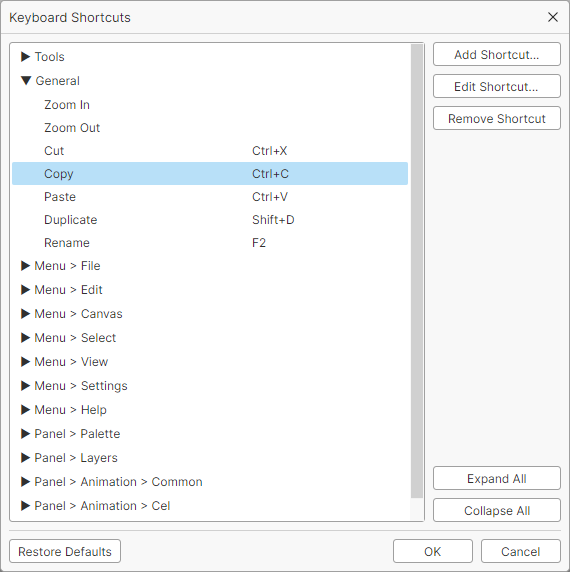
You can change the shortcut keys from Settings > Keyboard Shortcuts in the menu bar.
The default keys are listed on the Shortcut keys page.
Adding shortcuts
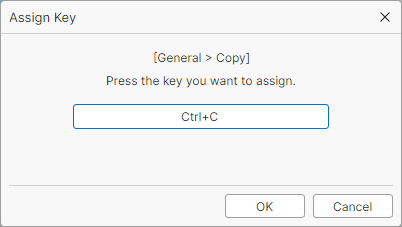
Choose an item from the list and click Add Shortcut or Edit Shortcut to open the key assignment window.
Press the key you want to assign and click OK to save it.
Removing shortcuts
Choose an item and click Remove Shortcut.
Tools and commands
Tool switching and other commands follow different assignment rules.
| Same key for multiple items | Multiple keys for one item | |
|---|---|---|
| Tools | Allowed | Not allowed |
| Commands | Not allowed | Allowed |
Tip
If you assign one key to multiple tools, pressing the key switches between those tools in turn.