Cel Animation panel
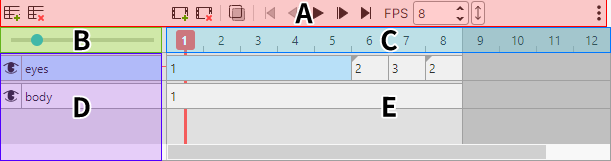
A panel for working with cel animation.
For the cel animation feature, see Using cel animation.
Menu

| Item | Description |
|---|---|
 |
New Track |
 |
Delete track |
 |
New Cel |
 |
Delete cels |
 |
Show Onion Skin |
 |
Go to First Frame |
 |
Go to Previous Frame |
 |
Play / Stop |
 |
Go to Next Frame |
 |
Go to Last Frame |
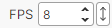 |
Animation playback speed (frames shown per second) |
Size slider

Changes the display size of the frames.
Frame list

Selects a frame.
Context menu
- Insert Frame
- Delete Frame
Track list
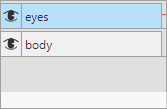
Selects and moves a track and changes its status.
Context menu
- Track Settings: Changes the track name, opacity, and blend mode.
- Select All Cels in Track
- Delete
Timeline
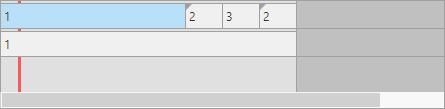
The area where the cels are lined up.
Moving cels
Drag a cel to move it.
Resizing cels
Drag the left or right edge of a cel to stretch it.
This lets one cel span multiple frames.
Linked cels
Linked cels have a triangle mark in the upper left.
Context menu
- Rename Cel
- Duplicate Cels
- Duplicate as Linked Cels
- Cut
- Copy
- Paste
- Delete